Three snags and a work-around
for VS Code with Claude
Yesterday I wasted two precious hours on a problem with VS Code and the Claude code extension.
In this post, you'll learn about the three serious snags I hit and how to work around them.
Things started well
One of the attractions of VS Code is the huge range of available extensions. Anthropic has created an extension that allows you to use Claude code, and yesterday I tried it out.
At first things went really well. I developed some useful code with Claude doing the heavy lifting. Things looked very promising.
Then I hit the first snag.
No custom MCP
I'd been using Claude code's CLI with a custom MCP server for days. It's really useful; you describe an animation you want in Claude code, or upload a handwritten sketch, and in a matter of seconds you'll have animated svg and a webm movie. Not quite what you want? Ask it to make a change and see the results in seconds.
Here are some examples.
I found you can't use custom MCP servers with VS Code's Claude extension. It's a known problem; an issue was raised late last year, but it hasn't been fixed yet.
While I was trying to resolve the problem I hit another snag.
No session memory
I make heavy use of Claude code's saved sessions. I also rely on Claude code's ability to resume previous sessions.
None of those are available if I use the Claude extension in VS Code. The feature has been requested, but it's not available yet.
No plan mode
My third annoyance: most power users switch between plan mode and edit mode.
Not available in VS Code!
Fortunately there's a simple fix.
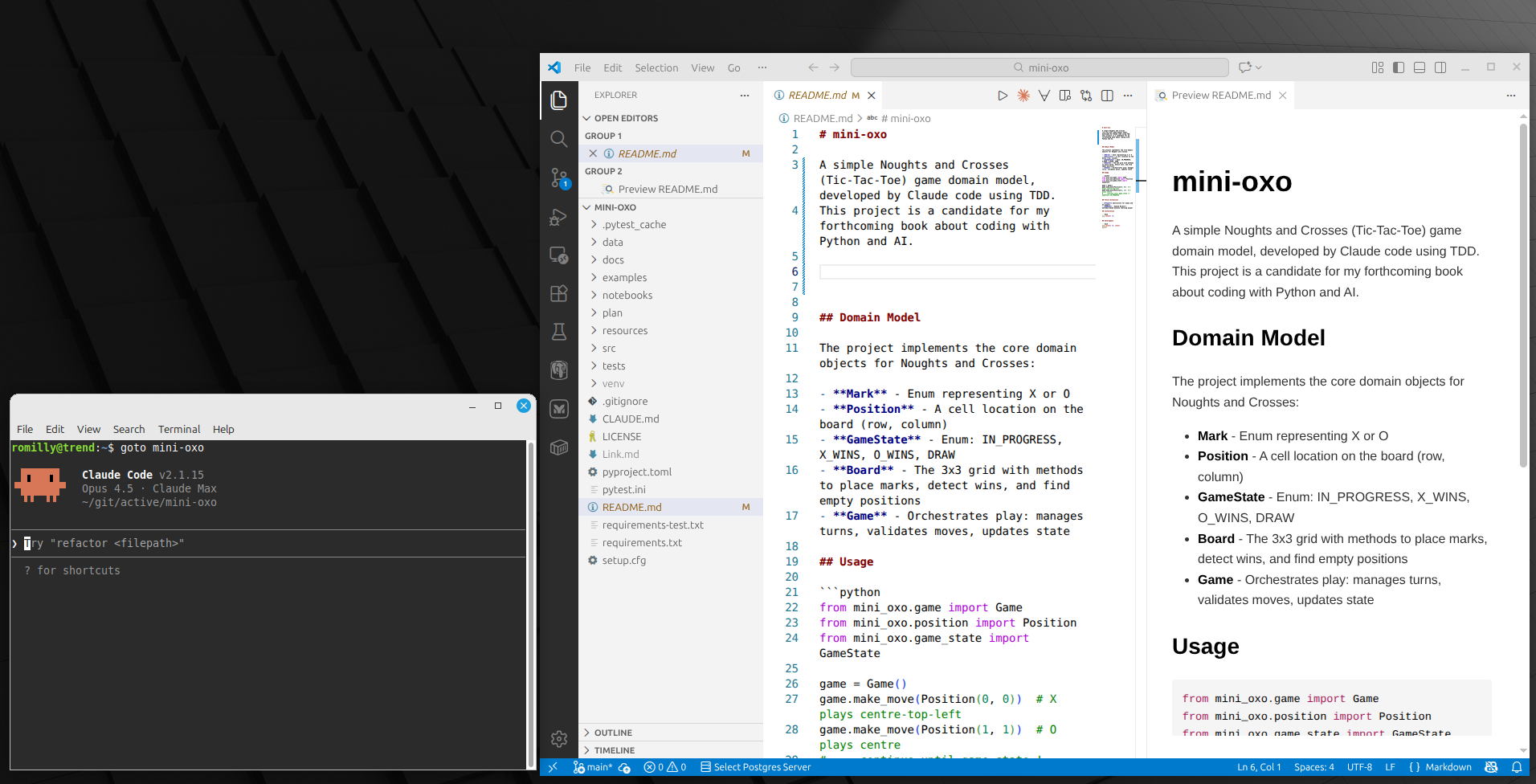
Use Claude Code's CLI and VS Code in parallel.
I still use VS Code's Claude chat for simple, short-lived tasks. If I don't know how to do something in VS Code I ask Claude Chat for help. As I build my competence with VS Code, I get Claude to generate tip documentation. That works well.
I use the CLI version for heavy lifting. The CLI lets me use custom MCP servers, I have access to session memory, and I can switch into and out of plan mode easily. I have two windows open, but I get the best of both worlds.